Agent CLI
- Reasons about the task
- Writes code
- Uses tools
- Answers prompts
Local agent home
Run Codex, OpenCode, Claude Code, or whatever comes next from a local project home.
LionClaw gives the agent a place to work that belongs to the project, not the platform.
The harness can change. The home stays yours.
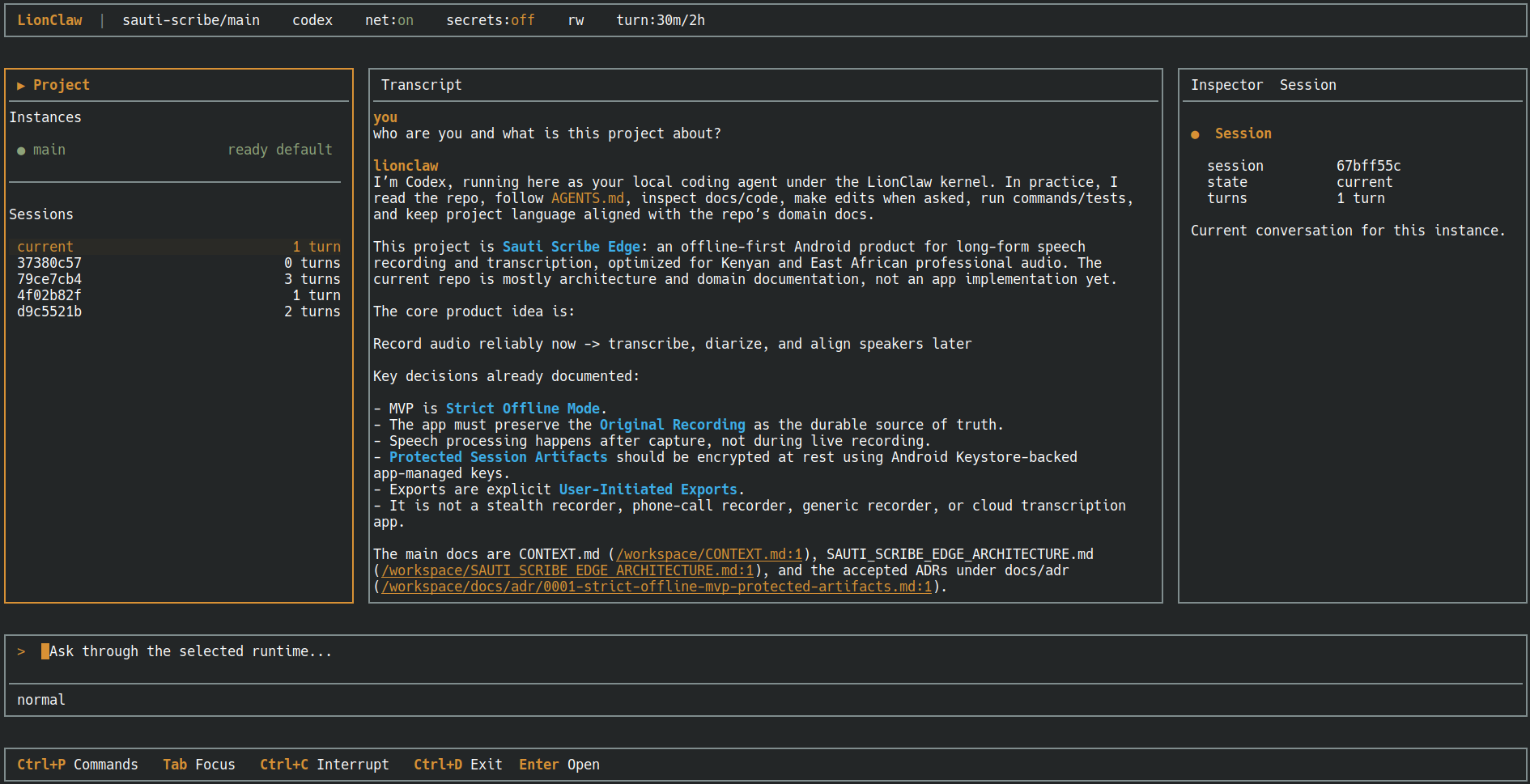
lionclaw run
opens the local project console around a real agent CLI.
What LionClaw is
Codex, OpenCode, Claude Code, and future harnesses still do the agent work.
LionClaw keeps the project-side boundary: where the agent runs, what state it sees, which skills are mounted, which credentials are staged, what jobs exist, and what gets recorded.
Start
No new platform to move into. No dashboard as the source of truth. No vendor-owned project memory.
Run doctor. Fix what it reports. Then run the agent.
If the agent changes next month, the project home does not have to.
git clone https://github.com/moshthepitt/lionclaw
cd lionclaw
cargo build --workspace --release
export PATH="$PWD/target/release:$PATH"

cd /path/to/your/project
lionclaw project init
lionclaw doctor
lionclaw run
What exists today
LionClaw already has the working surfaces a serious local agent needs: project identity, a runtime boundary, a console, mounted skills, scheduled work, channels, and audit.
This is enough to start serious project-side agent work now. The bigger public workflow writeups can sit on top of this core.
.lionclaw/Project identity, instance homes, runtime profiles, sessions, skills, jobs, logs, runtime state, and audit live beside the work.
lionclaw runA local operator console for real agent CLIs: project objects, durable transcript, inspector, composer, activity, and interrupt controls.
Each turn is launched from a plan: work root at /workspace, private state at /runtime, drafts at /drafts, mounted skills, staged auth, network mode, and timeouts.
lionclaw runtime addProfiles choose the agent kind, executable, image, and confinement options. LionClaw turns that into an explicit launch plan before the agent starts.
Skills are installed project-side and mounted into the runtime view. They can guide the work; they do not become authority by being prompt text.
Jobs run prompts in fresh sessions. Channels, pairing, attachments, outbox delivery, health, cancellation, and audit are core paths.
lionclaw doctorRead-only diagnostics with stable LC-D... findings and repair commands. It reports drift instead of quietly rewriting state.
Runtime plans, turns, controls, channel events, job runs, policy outcomes, and timeouts leave records you can inspect.
Why LionClaw
It reads files. It writes code. It remembers decisions. It can use credentials. It can message people. It can run work while you are away.
That power should not all live inside someone else's platform.
The model can be commercial. The harness can change. But the project home, memory, credentials, jobs, and audit trail should stay somewhere you can inspect and move.
LionClaw is for that.